Buy / Sell List Settings and Price Rules
You don't necessarily need to set these up immediately but you will need to set Price Rules and Settings before you can use ScryPOS to start purchasing and processing buy / sell lists.
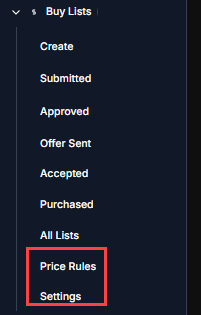
Price Rules
Price rules are configured based on Game System and you can drill down into specific sets & conditions.
You can also disable rules.
Rules are defined and applied based on Min and Max card value ranges.
By Default a rule does nothing on its own. When you create a rule you need to create "bands" to tell the rule what to do.
In the below example we have 3 bands for a generic MTG purchasing rule.
We have 3x Store Credit bands that will purchase cards valued up to $20 at 80% Store Credit if we have 0 copies on hand, Purchase at 70% store credit if we have 1 or more copies but 4 or less and a final band that buy the 5th - 8th copy at 65% store credit.
You can be a broad or specific with your rules and bands as you would like to be!
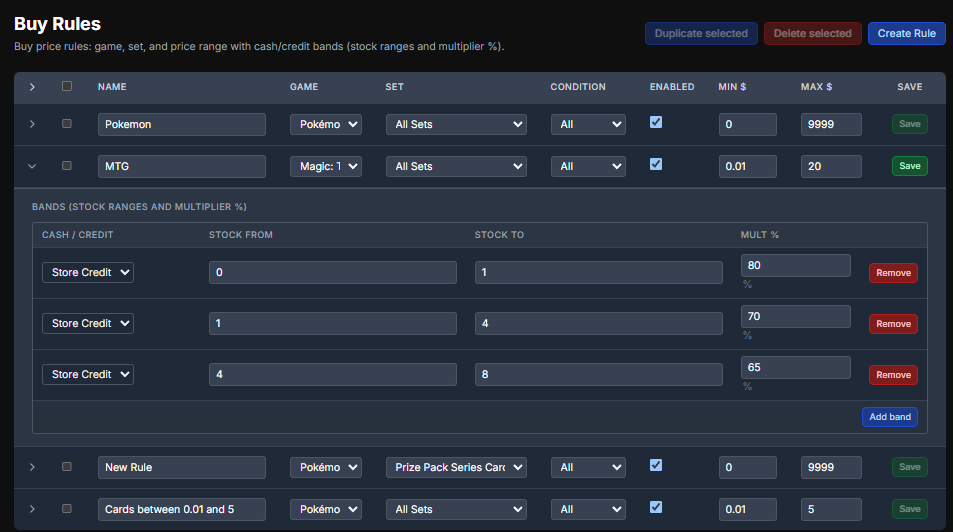
Tip: The most specific rule will always take precedence over other rules. Common example for this is you can create purchasing rules for Pokémon singles that capture all of them but then you can create a specific rule for Pokémon Singles from "Prize Pack Series Cards" with no bands associated with it to prevent the purchase of Pokémon Play! Prize Cards
Settings
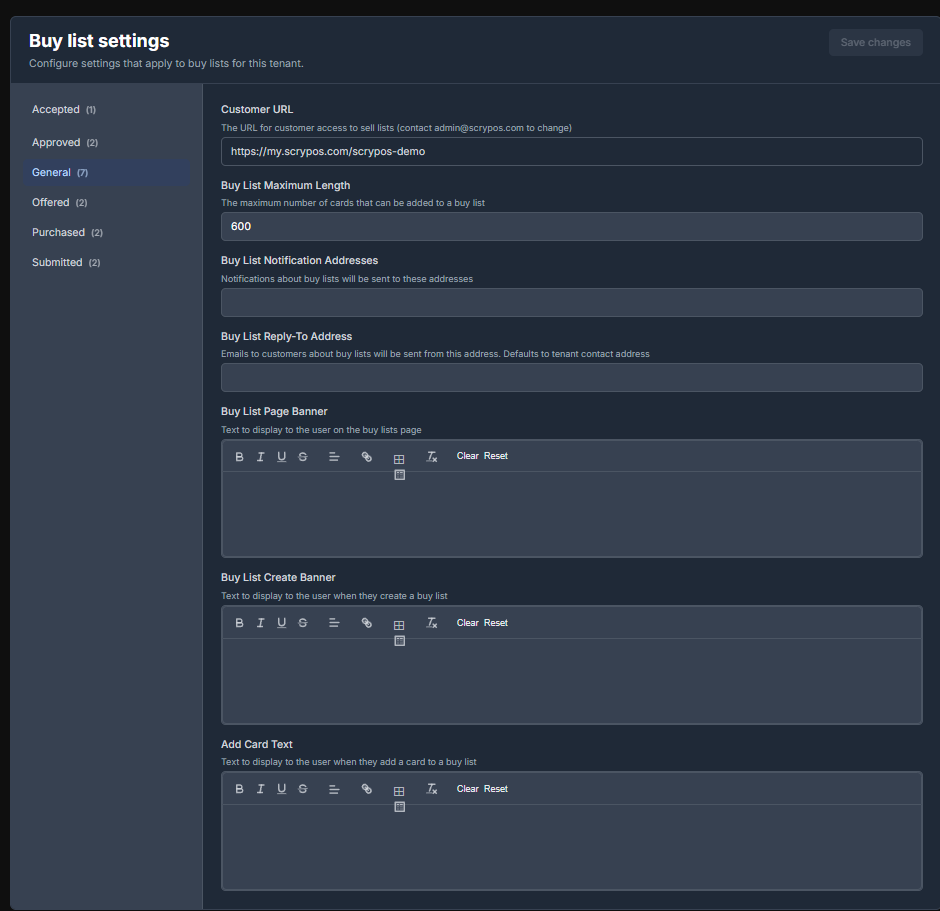
Buy list settings are worth sitting down and going through in great detail. These are for
* Setting a buylist card limit
* Setting a buylist notification address (your email that you want to receive buylist related notifications to)
* The address customers will receive buylist emails from that they can reply to
* Messages that your customers will see at every phase of the buy list and customer dashboard.