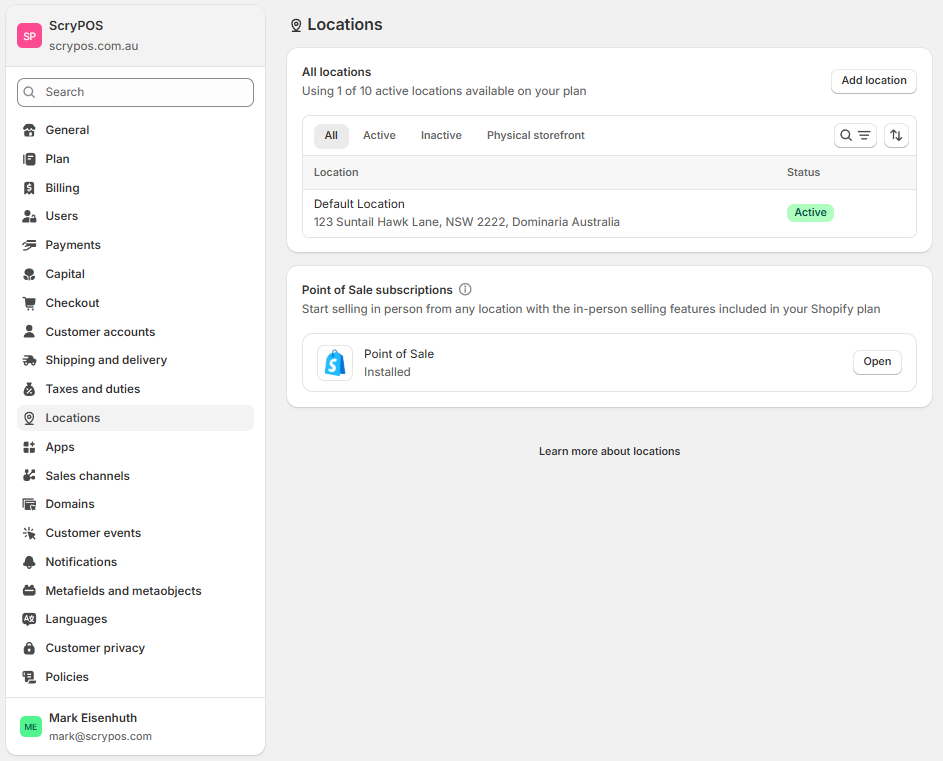
Shopify Locations
Along with your ScryPOS login credentials you would have received an email from Shopify requesting you to accept ownership of the Shopify system being transferred over to you. This step assumes that you have received and completed the process and now have access to your Shopify account.
In your Shopify Account go to settings > Locations
Rather than pressing "Add Location" you will want to modify the default location to configure your first/primary location settings in Shopify
Locations in Shopify are where you configure
* Location Name
* Location Address
* In-Store Pickup, Shipping or Local Delivery Settings
On a basic plan at the time of writing this you can have up to 10 locations but please note Shopify is frequently changing and often restricting rather than expanding these numbers so there may be less locations available on a basic plan in future releases.
After your default location is modified if you have additional store locations to add you can start adding these. This may be other store locations or facilities like off-site warehousing facilities.